

Access Code Self-Registration for Groups
How to distribute a career assessment to a large group using a single access code and allow them to register themselves.
Log in to your affiliate dashboard to get started.
Click Manage Access Codes to view your existing codes or purchase additional ones.
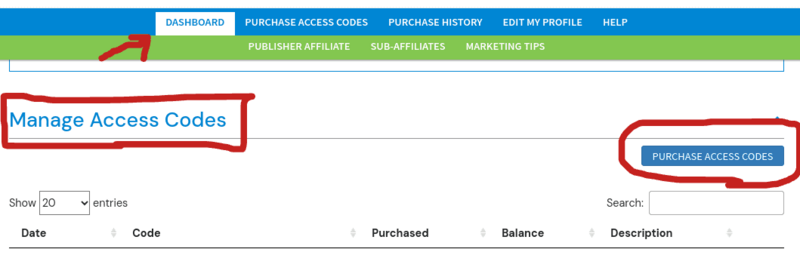
Send the exact name of your access code to your group via email, presentation, or any other channel.
Example access code name: abc-school-jan-2024
Direct your group to the Redeem Access Code page to begin self-registration. They can also find this link in the top navigation bar at CareerFitter.com under User Login / Redeem Access Code.
On that page, each person will enter their:
- Full name and email address
- Your access code
- A password they create to later log in to their Premium Dashboard
I have purchased a CareerFitter career assessment for you.
Note: If you have already purchased at CareerFitter.com, you will need to use a different email address — each email can only be registered once.
- Go here to begin: Redeem Access Code
- Enter the access code: [your access code here]
By registering, you are authorizing me to view your results. I may be able to view your results before you do.
After completing the assessment, you can log in to your dashboard to view your results and explore all career tools.
Once everyone in your group has registered, protect your remaining assessment credit by renaming your access code.
Once your group completes the assessment, you can review their results directly in your affiliate dashboard.
See: How to View Assessment Results in Your Affiliate Dashboard